
The platform
Web, desktop and mobile. One platform.
Three apps, one tenant. Sign in on the web, install desktop for your tills, and download mobile for the floor. All three share your stock, fiscal records and branch data.
- KRA eTIMS
- M-Pesa STK push
- Offline-capable
- 3 apps
4. Stock updated everywhere
Quantities drop at once and the other devices show the sale.
Mobile. Sell in the field and print to a Bluetooth thermal printer.
Illustrative sale with sample figures, not a customer transaction. Screens are simplified.
Which app is for you?
Each app fits a different job.
Most businesses use all three. Start with the one that matches where your team works.
Web app
Cloud dashboard in the browser
Head office and managers. Branches, inventory, eTIMS and reports in a browser.
See the web appDesktop app
Windows and Mac POS
Counters and back-office teams. Daily till work with printers and handhelds.
See the desktop appMobile app
Android and iOS
The shop floor, the warehouse aisle and pop-ups. Keeps working when the connection drops.
See the mobile app
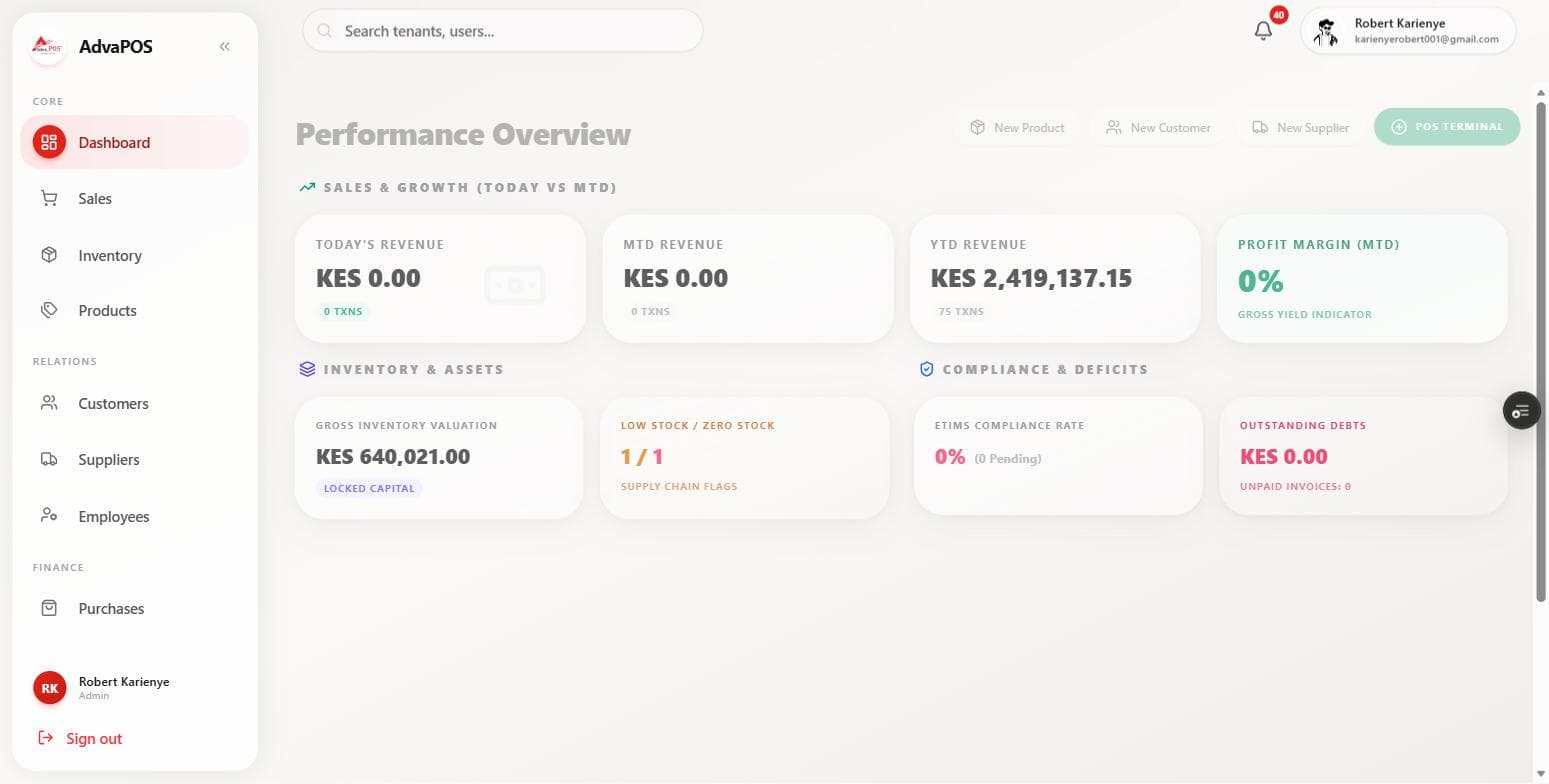
Cloud dashboard in the browser
Web app
Run your entire backoffice from any modern browser. Branches, inventory, eTIMS, procurement, and executive reports live in one secure workspace your team can open from HQ or on the road.
No install required. Role-based access, multi-branch roll-ups, and real-time sync with desktop and mobile tills.
- No install required
- Multi-branch HQ view
- VSCU and eTIMS
- Reverse invoicing
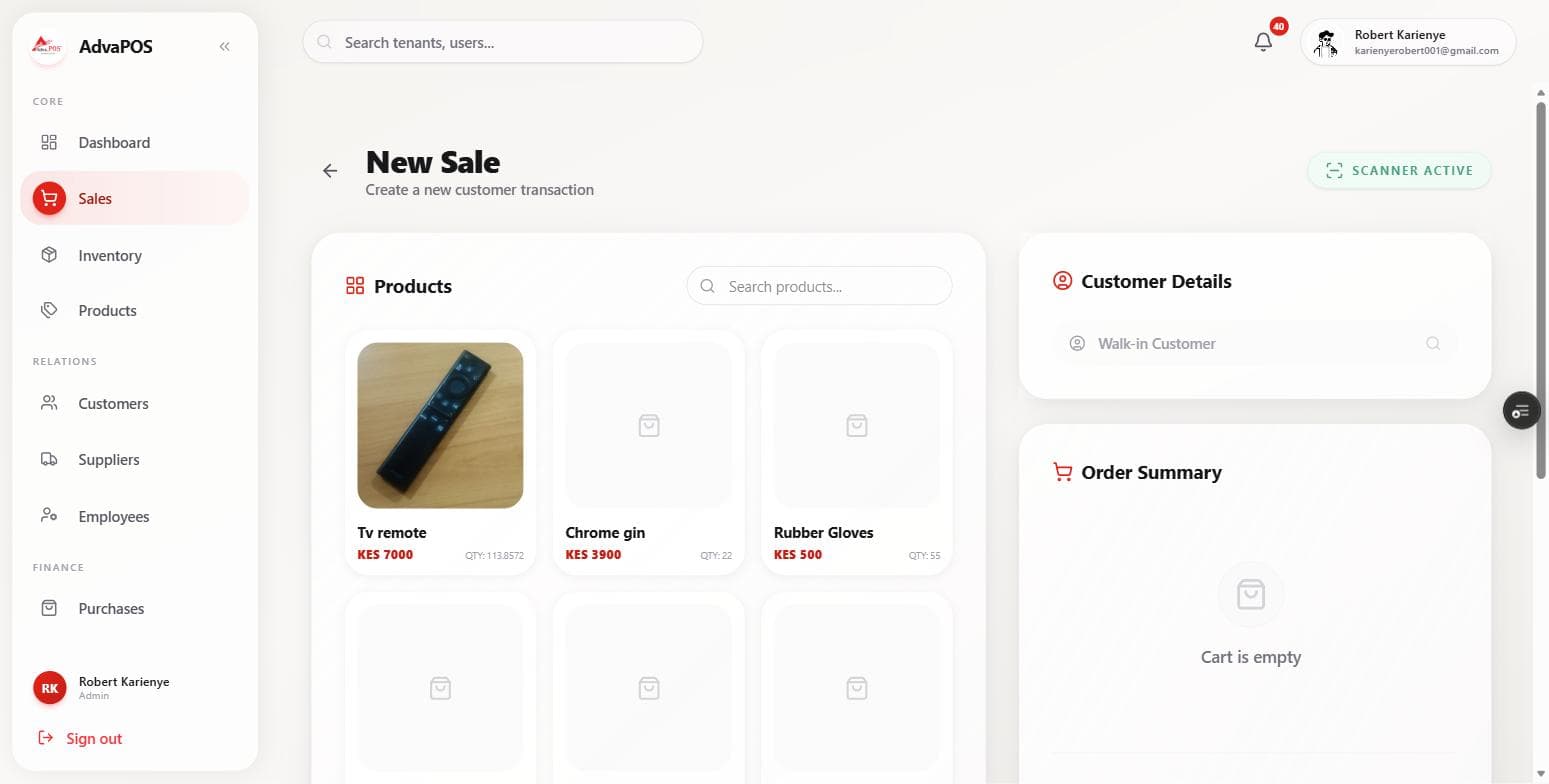
Windows and Mac POS
Desktop app
Native desktop performance for high-volume counters and back-office teams. Built for daily till work with offline resilience, thermal printers, and handheld terminals used across Kenyan retail.
Download once, sign in with your AdvaPOS tenant, and stay in sync with web and mobile automatically.
- Windows and macOS
- Thermal and Bluetooth printers
- Offline queue
- Ciontek handhelds
Two ways to run the desktop app
Pick by how many tills you run.
- Best for small shops
Standalone
Single machine, single till
Everything runs on one computer, for one till. It works fully offline.
Who it suits: Small businesses, single-counter pharmacies, solo operators
- No server required
- Fully offline
- Instant setup
- Windows and macOS
- Best for multi-till
Shared
Multi-till, client-hosted server
Your tills connect to a server you host, on your own premises or in the cloud. AdvaTech handles the initial deployment.
Who it suits: Supermarkets, hotels, restaurants, multi-counter operations
- Unlimited tills
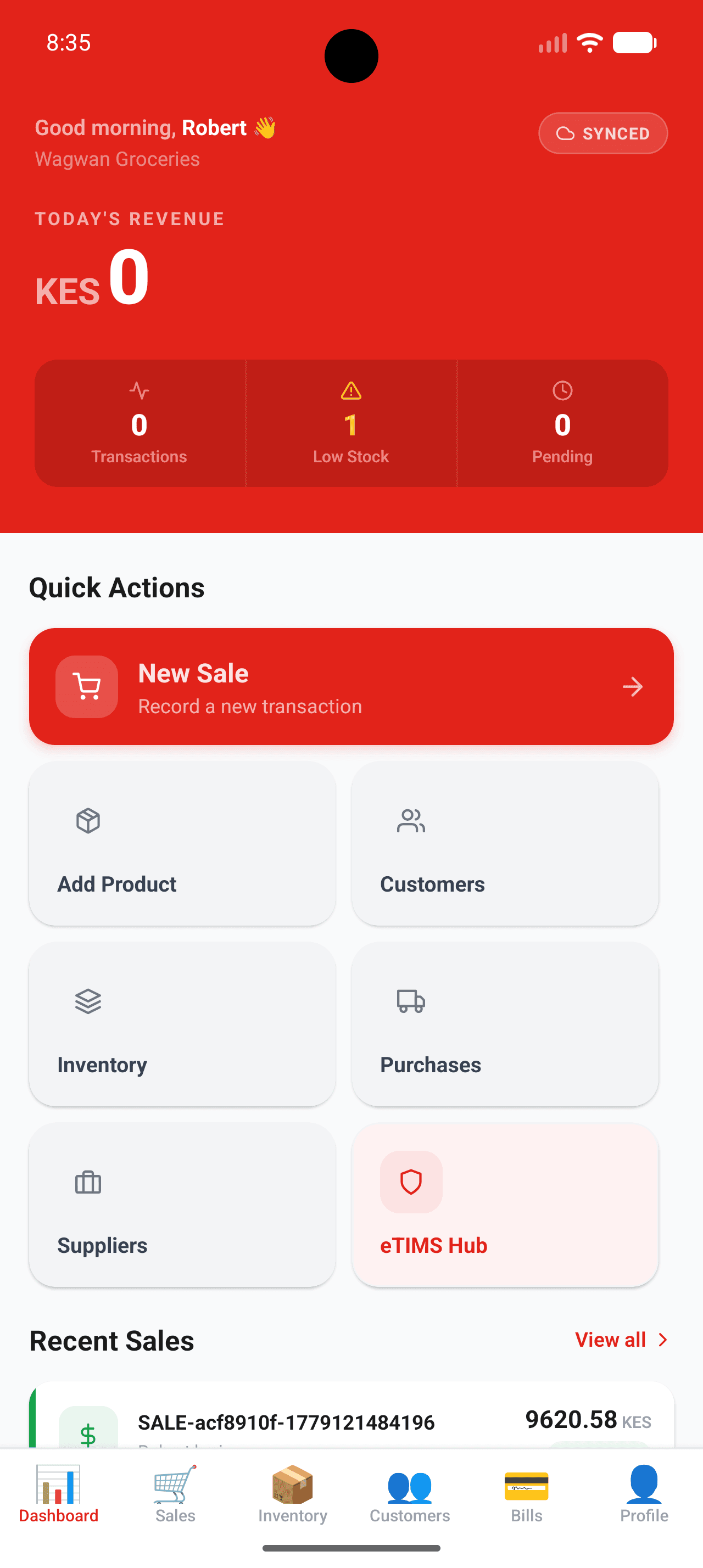
Android and iOS
Mobile app
Sell on the shop floor, in the warehouse aisle, or at a pop-up. Mobile POS keeps working when connectivity drops, then syncs fiscal receipts and stock movements to web and desktop without duplicate entry.
M-Pesa at checkout, Bluetooth receipts, and field sales workflows for teams that never sit at a desk.
- Offline capable
- M-Pesa STK push
- Bluetooth printing
- Field sales
How they stay in sync
Make a sale anywhere. Every app agrees.
Switch the connection off to see what happens when the network drops. Transactions queue on the device and sync when it returns.
Keeping three apps in sync
Mobile app
Sale madeYour account
Web and desktop
1. A sale is made
A cashier completes a sale. The fiscal receipt and the stock movement are created.
Why one platform
Three apps, no silos.
- 01
Advatech-backed support
Local team in Nairobi with onboarding, training, and helpdesk coverage you can reach by phone or email.
- 02
Three apps, one platform
Web, desktop, and mobile share tenants, stock, and fiscal data so you are never reconciling three silos.
- 03
eTIMS native
Compliance is part of the product roadmap, not an after-market plugin.
- 04
Built for Kenyan payments
M-Pesa STK push and cash workflows your cashiers already understand.
- 05
Industry-ready
Retail, pharmacy, hospitality, cooperatives, and wholesale configurations out of the box.
Screenshots
See it in action.
Dashboard
Ready to put your operation on AdvaPOS?
Tell us about your branches and team. We will scope the right apps and modules for you.
Need full back-office accounting too? See AdvaERP.